

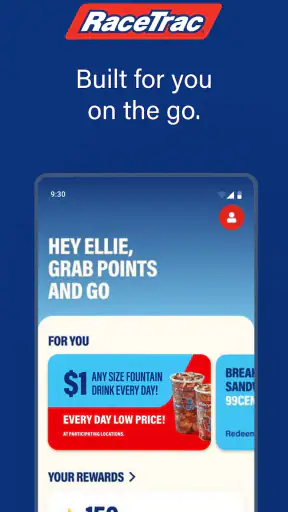
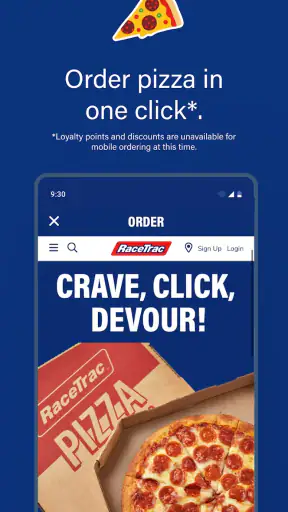
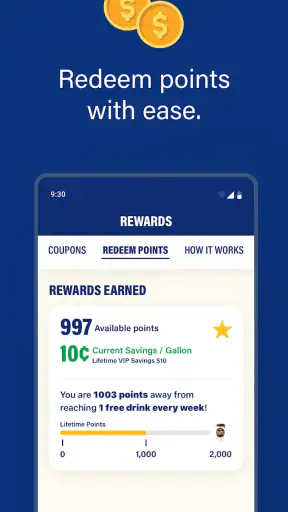
If you regularly stop at RaceTrac, the RaceTrac app is designed to make those visits more rewarding without turning the experience into a complicated loyalty program. I tested it with a first-time user’s mindset: install it, understand what it wants me to do, earn points, and see whether redeeming them feels worthwhile. The central idea is simple—earn, track, and redeem points—but the usefulness depends on how often RaceTrac is already part of your routine.
This is a free shopping app from RaceTrac, Inc., aimed at people who want to keep their RaceTrac activity and rewards in one place. It is rated for Everyone, and the current version is 8.20.1 for devices running iOS 11 or later. That broad compatibility makes it approachable for many users, although anyone using an older device should check the operating-system requirement before spending time on setup.
Getting started and turning a visit into a useful reward
What to expect after installing
The first thing I would tell a new user is not to expect a general shopping marketplace. This is a focused loyalty app connected to RaceTrac visits. Its value comes from helping you collect and manage points rather than replacing the normal process of buying fuel, drinks, snacks, or other items at the store.
That focus is a strength when you already use RaceTrac. The app does not need to compete with a broad retailer application that tries to cover every store and every kind of purchase. Instead, it gives your RaceTrac activity a dedicated home. If you only visit occasionally, however, the benefit may feel less immediate because a rewards balance is most useful when you remember to use the program consistently.
The app has earned a 4.8 average from around 26 thousand ratings, with roughly 7 thousand reviews, and it has passed the one-million-install mark. Those figures suggest that the basic concept is connecting with a large number of shoppers. I would still judge it by your own routine: a highly rated rewards app is not automatically valuable if RaceTrac is rarely on your route.
The first setup: keep it deliberate
When I approach a loyalty app for the first time, I avoid rushing through every screen. The important goal is to understand how the app identifies my account and how a purchase becomes points. With RaceTrac, I would take a moment to read each setup screen carefully, especially any instructions related to earning or redeeming. That small pause can prevent the most common frustration with rewards programs: completing a purchase and only afterward wondering whether the activity was recorded.
A good first-session plan is straightforward:
Install the app and open it when you have a few uninterrupted minutes.
Complete the account steps the app requests rather than postponing them until you are standing at the register.
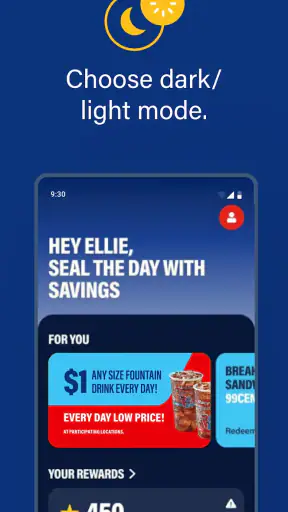
Look for the area that shows your points and the area that explains redemption.
Before your next RaceTrac visit, decide what action the app expects from you during or after the purchase.
This preparation matters because a rewards app is less forgiving when used at the last second. If you are trying to register while a line is moving, it is easy to miss an instruction or forget to check whether the transaction was recognized. I found that the best way to use this kind of app is to treat setup as a one-time task and store the app where it is easy to reach before a visit.
RaceTrac, Inc. keeps the product positioned as a shopping companion rather than an entertainment app, so the interface is most useful when you have a clear purpose. Open it to check your balance, understand your available reward, or prepare for a purchase. Opening it without knowing what you want to verify can make a simple loyalty system feel busier than it needs to be.
Your first meaningful success
The first successful action should not be merely installing the app. It should be completing one RaceTrac purchase and then confirming that your points have been recorded. That is the moment when the app proves whether it fits your habits. I recommend checking the balance after the first eligible activity instead of assuming everything worked automatically.
This approach gives you a useful answer quickly. You learn where the points appear, how the app describes your progress, and whether redemption information is easy for you to understand. It also creates a simple routine: after a visit, open the app briefly and confirm the result. That is more reliable than waiting several visits and trying to reconstruct what happened.
A realistic example would be a weekday commuter who stops at RaceTrac for a drink on the way home. Before leaving work, the commuter opens the app and makes sure the account is ready. At the store, the purchase is completed using the method the app indicates. Once outside, the commuter checks the points balance. If the points appear, the process has become repeatable; if they do not, the issue is discovered while the purchase is still fresh rather than weeks later.
That small confirmation habit is one of the less obvious ways to get more from the app. Many people think of rewards as something that happens invisibly in the background. In practice, the value depends on noticing whether the app has credited the activity and knowing what to do when it is time to redeem. A quick check protects you from building your expectations on an inaccurate balance.
Understanding points without overcomplicating the routine
The app’s main promise is earning, tracking, and redeeming points, so the points view deserves more attention than a quick glance. I would use it as a personal record rather than as a reason to make purchases I would not otherwise make. Rewards can make an existing RaceTrac habit more satisfying, but they should not persuade you to spend extra money merely to chase a balance.
There is also a practical trade-off between checking often and checking enough. Checking after every visit is useful while you are learning the system. Once you know the process is working, you may prefer to check at a regular interval, such as before your next planned visit. The right rhythm depends on how frequently you stop at RaceTrac, but the principle is the same: use the app to support purchases you already intend to make.
For households, the app is easiest to understand when one person treats it as the main account and keeps the login details accessible. If several people use different accounts without a shared plan, points can become scattered and redemption may feel less valuable. I would decide in advance who is responsible for checking the balance and using rewards. That is not a flashy feature, but it prevents a common loyalty-program problem: everyone assumes someone else is tracking the benefit.
Where first-time users may get confused
The biggest source of confusion is the difference between earning and redeeming. Seeing points in the app does not necessarily mean you have already used them or that the next purchase will automatically apply them. I would always read the redemption instructions shown in the app before reaching the register. Knowing whether you need to present, select, or confirm something is more useful than simply knowing your total.
Another point of friction is timing. A user may finish a purchase, close the app, and then worry when the balance does not look different immediately. Rather than repeatedly refreshing or assuming the program failed, check the app again later and keep the purchase details available. If the balance still does not reflect the activity, use the app’s available support or account guidance rather than making a second purchase just to test it.
It is also easy to confuse the app’s account activity with a bank statement. The app is a rewards tool, not a replacement for your payment records. I would use the points history to understand loyalty progress and rely on the payment method’s normal records for spending details. Keeping those two purposes separate makes the app easier to interpret.
Another realistic limitation is dependence on your relationship with RaceTrac. Someone who changes stores frequently, shops mainly at supermarkets, or wants one universal rewards wallet may prefer a broader shopping solution. RaceTrac is more specialized. That specialization is exactly why it can feel convenient for regular customers, but it also means the app has less relevance outside RaceTrac visits.
How it compares with ordinary alternatives
The usual alternative is doing nothing: pay at the store and skip loyalty tracking altogether. That option is faster in the moment, especially for a person who visits only once in a while. The RaceTrac app becomes the better choice when you make repeated stops and are willing to spend a few seconds confirming points and checking redemption options.
Another alternative is using a general rewards or payment app. Those services may be more convenient if you want to manage several retailers in one place, but they can also make it harder to understand the specific benefits tied to RaceTrac. A dedicated app has a narrower purpose, which can reduce the amount of searching required when your goal is simply to check RaceTrac points.
I would not choose this app solely because it has a strong rating. I would choose it because my shopping pattern matches it. A commuter, local customer, or frequent convenience-store shopper can turn the app into a small but useful part of a weekly routine. Someone who visits RaceTrac only during occasional road trips may find the setup and tracking effort less compelling than paying normally.
Three habits that make the app more useful
First, set up the account before the next purchase rather than in the checkout line. This removes pressure and gives you time to understand the earning process. Second, confirm the first credited activity soon after the visit. That single check tells you whether your routine is working. Third, review redemption details before you have enough points to use them. Waiting until the moment you want a reward can create avoidable uncertainty.
A fourth useful habit is to avoid treating points as a spending target. If you already need fuel or a convenience item, earning points is a pleasant extra. If you are buying something only because the balance is close to a reward, compare that extra spending with the actual value you expect to receive. The app can organize rewards, but it cannot decide whether a purchase is sensible for your budget.
Finally, keep the app updated when practical. The current release is 8.20.1, and using the current version can make the experience more consistent with the service you are accessing. I would also check the device requirement before installing on an older iPhone or iPad, since the app requires iOS 11 or later.
Who should use it—and who should skip it
I recommend RaceTrac to people who already stop at RaceTrac often enough for points to accumulate naturally. It is especially suitable for someone who wants a dedicated place to monitor progress instead of relying on memory. The free price removes the financial barrier to trying it, and the Everyone rating makes it a reasonable option for a broad household audience.
I would be more cautious if you are highly privacy-conscious about creating accounts, dislike managing loyalty programs, or rarely shop at RaceTrac. Any rewards system adds another account and another balance to remember. If that administrative effort feels more annoying than useful, the ordinary payment experience may be the better choice.
I would also skip it if your main goal is comparing prices across many retailers or managing rewards from multiple brands in one dashboard. This app is not a universal shopping organizer. Its best quality is its direct connection to RaceTrac activity, and that same focus limits its usefulness for people whose shopping is spread across many stores.
My final take after using the full routine
The app works best when it becomes a quick before-and-after-visit habit, not another app you open without a purpose. Install it ahead of time, finish setup calmly, confirm the first points entry, and learn redemption before you need it. That path gives a first-time user a clear success without requiring constant attention.
With a 4.8 average and more than a million installs, RaceTrac has clearly found an audience among shoppers who want a focused rewards experience. My own recommendation is conditional but positive: if RaceTrac is already part of your weekly routine, the free app is worth trying because it gives those visits a way to build toward rewards. If your visits are rare or you want one tool for every retailer, a broader alternative—or no loyalty app at all—may suit you better.
In short, I see RaceTrac as a practical companion rather than an essential app. It does not need to do everything. It needs to make earning, tracking, and redeeming points understandable enough that you remember to use the benefit. For the right shopper, that focused approach is its main advantage.


